
Yesterday, we saw how to schedule Shutdowns or Restarts in Windows using the Task Scheduler. While you can always use the Shutdown /s /t command and create a desktop shortcut to delay the shutdown of your Windows computer and make it shut down after a particular time, if you really need to time your shutdown or restarts frequently, then you may want to check out these freeware apps.
Auto Shutdown, Restart Windows 11/10
These free software will allow you to shut down, reboot, log off, hibernate or sleep your Windows PC at particular times.
1] Simple Shutdown Timer
This one is a nice app I found on the Internet last night when my Internet downloads were expected to take an hour or two, and I was feeling sleepy.
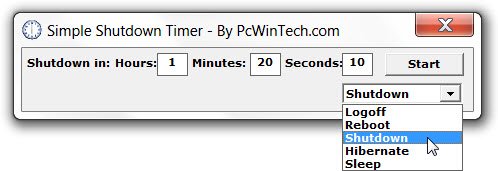
The utility is very simple to use and quite self-explanatory. Say you are waiting for a task or maybe a download to finish in an hour – and you don’t expect to be around to manually shut it down. Using this app, you can schedule and enter the time; you could shut it down anytime after an hour.
Looking around today, I came across a few more similar tools!
2] Windows Reboot
It is another app that does the same thing. This tool can do the following things:
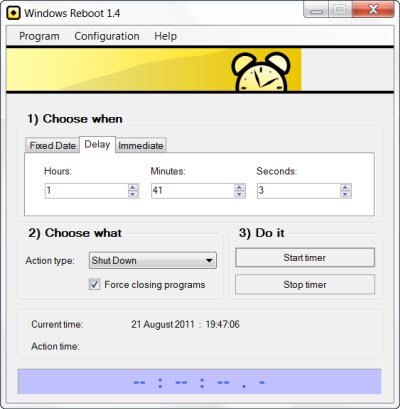
- Shut down the system at a specified time
- Lock the user interface
- Log off the current user
- Reboot – restarts the system.
- Power off – also interrupts the power on the motherboard.
3] VJ Shutdown Timer
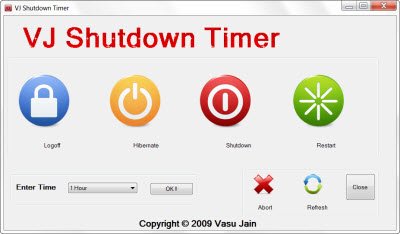
My colleague Vasu Jain has also released VJ Shutdown Timer which does the same things.
3] PowerOff Timer
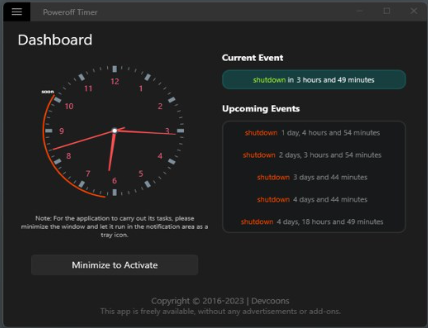
If you are looking for a Windows Store app, try PowerOff Timer. It allows you to set Windows 10 to shut down at a specific time. It will minimize in the system tray and run silently in the background.
4] Other tools
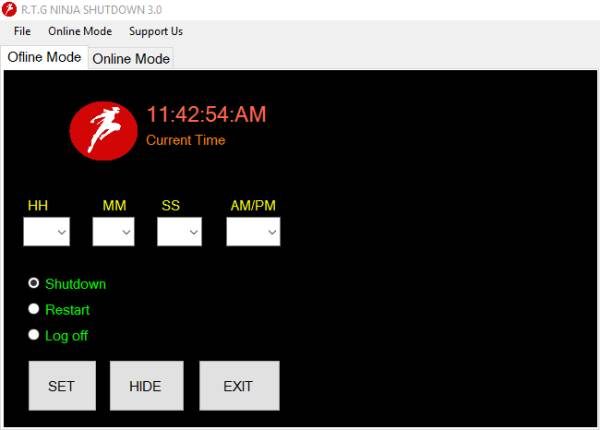
More shutdown tools that may interest you: TOff | AMP WinOFF | KShutdown | SuperFast Shutdown | Ninja Shutdown.
TIP: You can also schedule an Automatic Shutdown using Command Prompt.
If you know of any more similar free software, please do share in the comments below.

